Printing documents that are larger than A4 can be a pain. I find Windows to be way behind the mac in this respect, and most of the cheaper apps don’t have printer dialogue boxes that can handle this.
So third party apps would seem to be the way, but are there any? I tried Wrapcandy Poster – it crashed repeatedly; Easy Poster Printer£2.09 from Microsoft Store but it is a weak and feeble thing which does not print to the correct size. Gimp is supposed to be able to handle poster but it is difficult to work through, I couldn’t get a result.
Then, having wasted about 40 sheets of A4, (even printing both sides) I discovered that Acrobat Reader now has poster print ability. Not the best print dialogue box but it worked and produced an 18 sheet print that was the correct size. So two cheers for Adobe, who I have little time for, generally.
Affinity Designer, Photo and Publisher all lack the ability to print posters, which is a glaring omission.
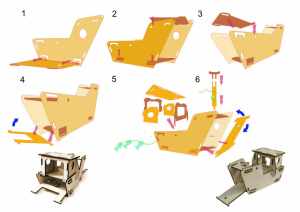
 These are vector files – raster files become huge and slow – and were originally created in Illustrator using the 3D function. But they original won’t open in AD because it wasn’t saved with an associated .pdf, AD can’t make sense of it.